
Drivers helping drivers, when it matters. Spotlink SOS is community-powered, driver-to-driver assistance. You can broadcast a request for help; another participating user can voluntarily accept it. A match confirms that someone has agreed to help, but it does not guarantee assistance or arrival.
Emergency? Call 911. For immediate danger, injuries, fire, serious accidents, or a need for police, fire or medical responders, call 911. Spotlink SOS is not a substitute for emergency services. NYC emergency contact guidance.
How Spotlink SOS works
- Request: when safely stopped, open Spotlink’s quick-action menu, choose SOS, select the vehicle problem, and submit the request.
- Broadcast: other participating users can discover the active SOS signal. Participation is voluntary; no response is guaranteed.
- Acceptance and matching: a participant selects “I Will Help.” You see that someone accepted, and the active broadcast stops because the request is now matched.
- Location guidance: the helper receives guidance toward the location associated with your request. Both participants can see the distance between them as the helper approaches.
- Freedom to cancel: you can cancel the request, and the helper can withdraw, at any time.
Broadcast → voluntary acceptance → match → location guidance. These are different stages: an active broadcast has no accepted helper; a matched request has an accepted participant; a canceled interaction does not mean help arrived.
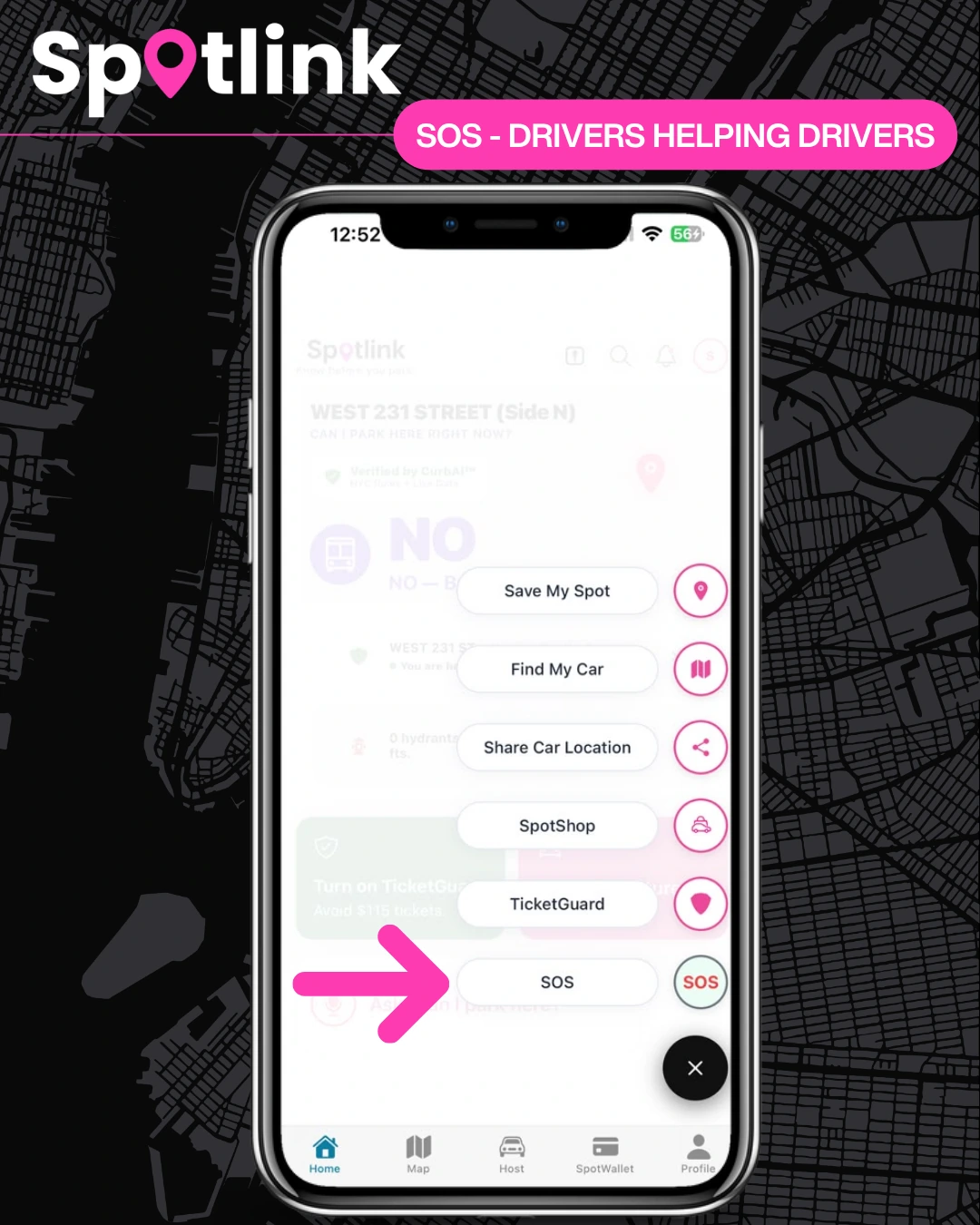
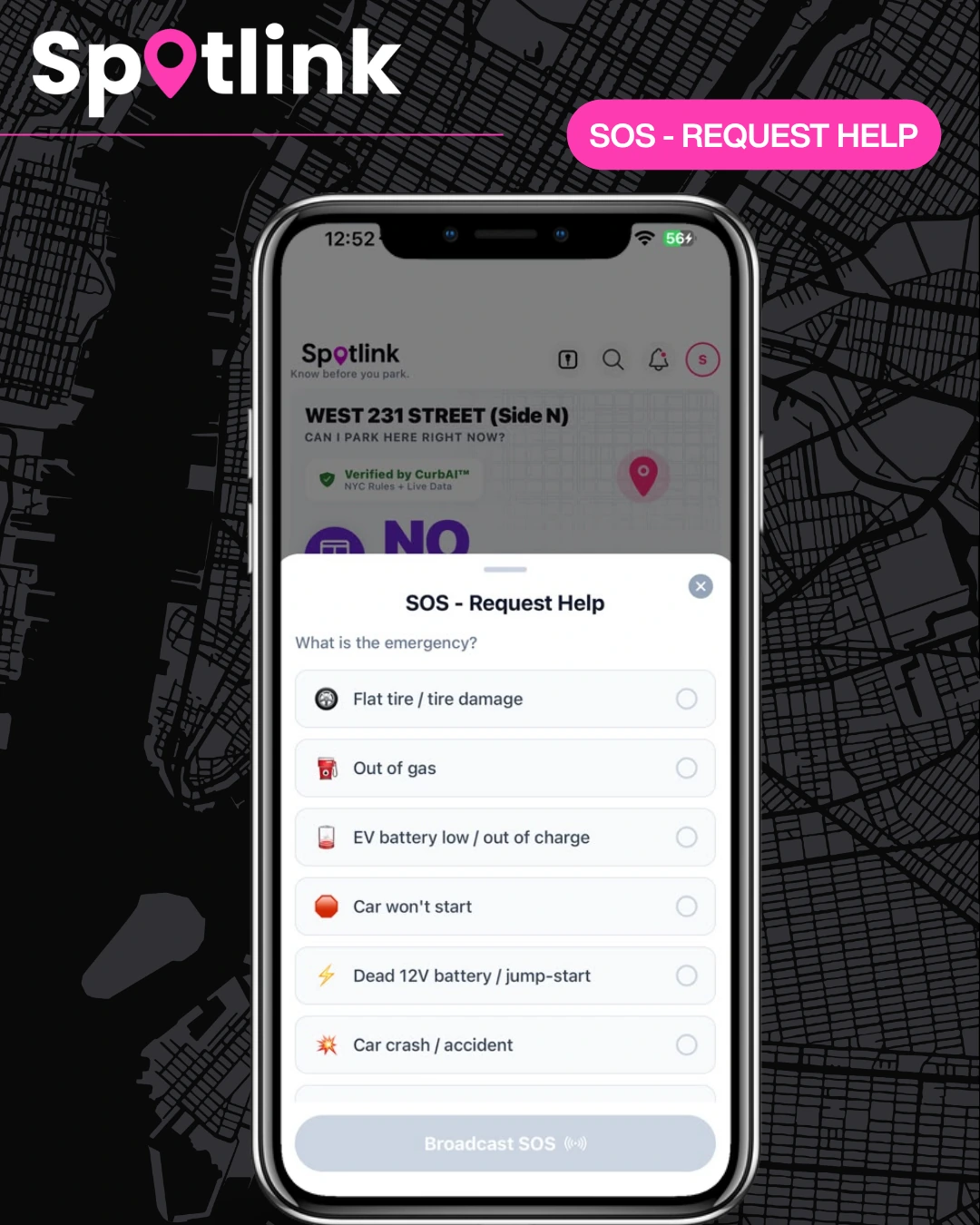
Which vehicle problems are listed?
- Flat tire or tire damage
- Out of gas
- Low EV battery or out of charge
- Car won’t start
- Dead 12V battery / jump start
- Crash or accident — call 911 first for injuries, danger or a serious crash.
Either participant can cancel at any time
The requester can cancel the SOS; the helper can withdraw from an accepted request. Agreeing to help is voluntary and is not a promise that assistance will arrive. Check the current app for the request’s status rather than assuming the other person is still participating.
If nobody accepts, use another safe option
An active signal can remain without community assistance. Do not wait for a volunteer in an emergency. For non-emergency vehicle trouble, contact your existing roadside-assistance coverage, insurer, vehicle manufacturer or an appropriate professional. Spotlink SOS does not automatically dispatch a mechanic, tow truck or emergency responder.
Use our practical flat-tire, battery and fuel guide to prepare the information you need when seeking help.
Safety and location awareness
Use the app only when safely stopped. Do not attempt a repair where moving traffic or vehicle damage makes it dangerous. Only offer help you can safely provide; acceptance does not establish professional qualifications. Location guidance is part of an accepted interaction, so consider the location you associate with a request before asking for help.
Frequently Asked Questions
Does SOS guarantee a nearby driver will help?
No. Other participating users may discover an active request, but help depends on someone choosing to accept. There is no guaranteed response, arrival time or coverage radius.
What happens when someone accepts?
The requester sees acceptance, the request becomes matched, and the active broadcast stops. The helper receives location guidance and both participants can see their distance.
Can the helper change their mind?
Yes. Either person can independently cancel or withdraw at any time. Acceptance does not guarantee arrival.
Is this professional roadside assistance or emergency dispatch?
No. SOS is voluntary community assistance. Call 911 for emergencies and contact an appropriate professional when the situation requires one.
Can I use SOS without sharing a location?
The confirmed workflow includes guidance toward the location associated with the request. Check the current app and device permission settings for the location options available to you.
Keep useful driver tools close
Spotlink also offers CurbAI parking context, SpotMap, TicketGuard reminders and saved and shared parked-car locations. A free download includes optional in-app purchases.