
Voice parking assistant
Ask Spotlink before you park.
Ask instead of digging through menus. The current product experience includes “Can I park here?” as a verified example.
Voice is a core interaction layer across the Spotlink toolkit: ask naturally, get a concise answer, and continue into the relevant parking workflow. The feature does not replace posted signs or official rules. Pull over first or let a passenger interact; use Voice only when safe and lawful.
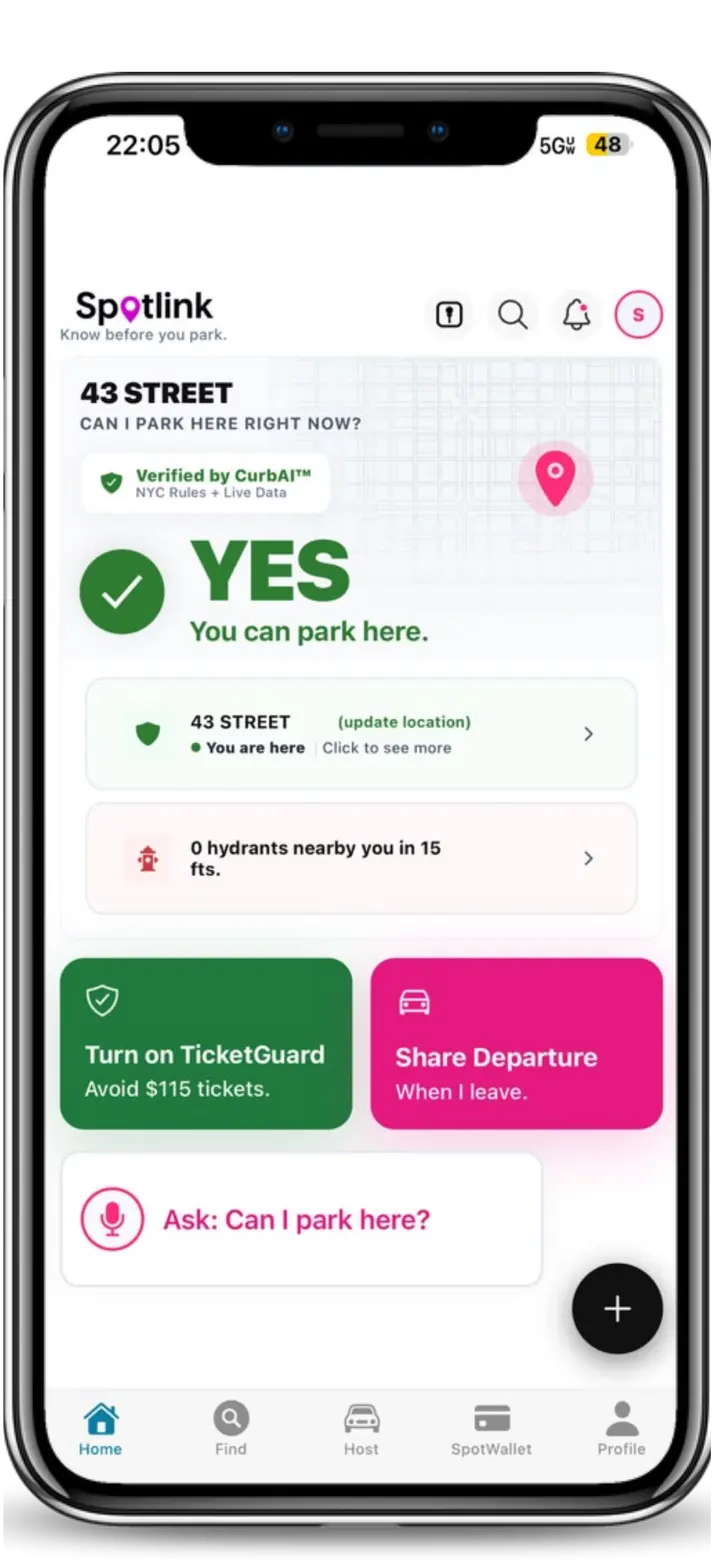
Voice decision
Voice works with the full Spotlink system.
Ask a supported parking question, then use CurbAI, TicketGuard, Live Departures, and SpotCoins where relevant. Current capabilities are shown inside the app.
For the verified select-and-follow workflow, see Spotlink parking navigation. The current verified Voice example remains “Can I park here?”; this page does not claim that Voice starts navigation.
Ask instead of digging through menus
Built for concise parking decisions
Works with the Spotlink parking workflow
Can continue with SpotCoins if voice time runs out
- Open Spotlink Home while safely stopped.
- Tap the Voice prompt on the Home screen.
- Ask “Can I park here?” and review the curb guidance. Check the posted signs.
Voice FAQ
The current Spotlink product UI shows the example “Can I park here?” Voice capabilities can evolve, so use the in-app prompts for the current supported questions.
Ask Before You Park
Avoid avoidable parking mistakes. Find parking faster.