
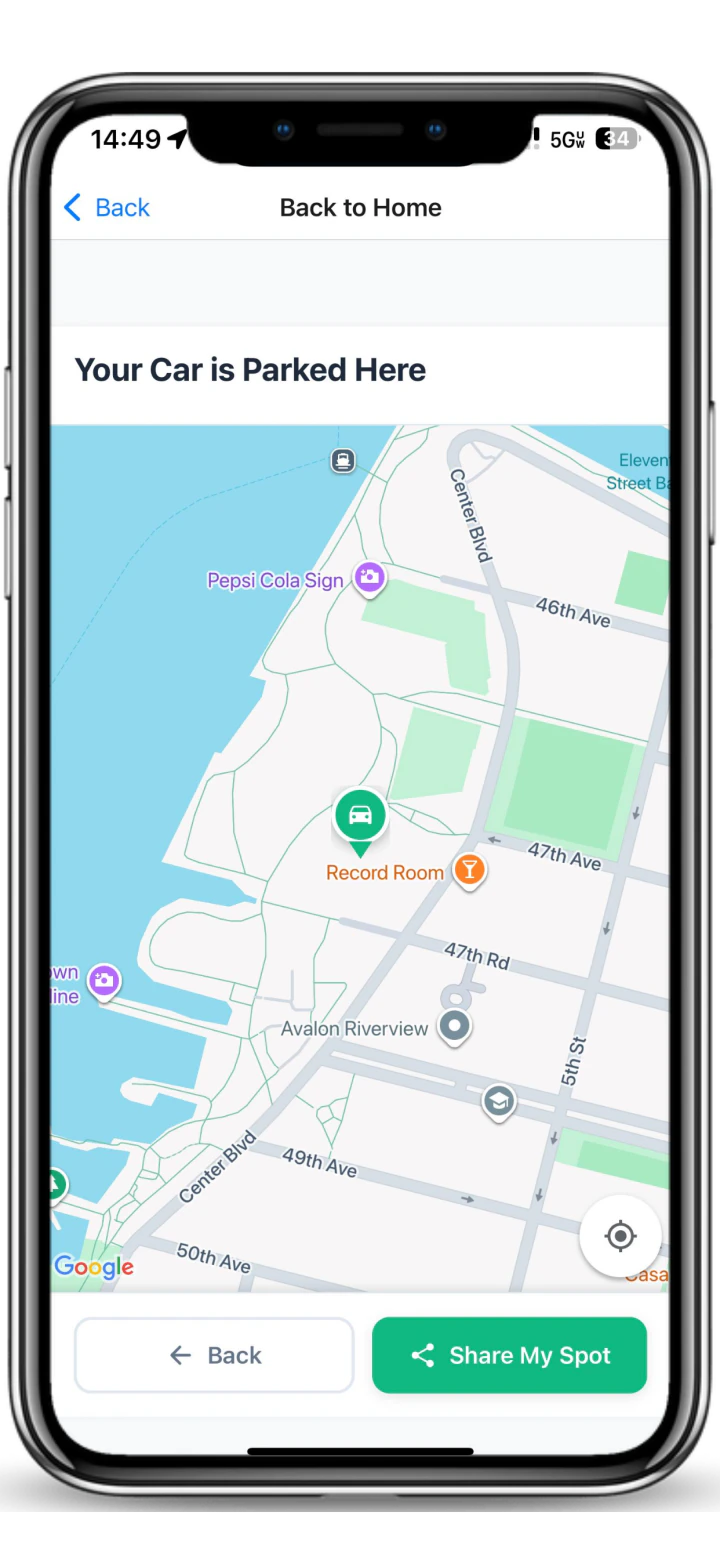
Remember exactly where you parked. A saved location is private to you and helps after work, a hospital visit, an appointment, a long day in an unfamiliar neighborhood, or any stop where every block starts to look the same. It is different from privately sharing the location or sending a public, time-limited Departure signal.
Save the location when you finish parking
Once the car is legally parked and you are no longer moving, save the location in Spotlink. Check that the point matches the vehicle before walking away.
Add enough context to recognize the place
A saved point is most useful when you also notice the side of the block, nearby address, cross street, garage level, or another stable landmark. Do not rely on a temporary vehicle or storefront sign as your only reference.
Use the saved point to return
When it is time to go back, open the saved location and follow the route toward the car. Stay aware of current pedestrian and traffic conditions instead of watching the screen continuously.
Saved location vs private sharing
Saving answers “Where did I park?” If a spouse, partner, caregiver, older family member or someone picking up the car needs it, use Share My Spot to send the saved location privately. Sharing does not make the location public.
Saved location vs Departure
A Departure signal is different. It tells nearby Spotlink drivers that a space may open soon. It is public and time-limited, and it does not reserve or guarantee the space. Compare all three actions in Save vs Share vs Departure.
Keep parking timing separate with TicketGuard
A saved location helps you find the car. TicketGuard is the after-you-park product for timing and rule reminders. Saving the location does not replace reading signs or monitoring when a restriction may change.
FAQ
Is my saved parking location public?
No. Saving is the private action for remembering where you parked.
Does saving a location tell other drivers the space is available?
No. Only a separate Departure action signals that a space may open.
Can I send the saved location to someone I trust?
Yes. Use the separate private-sharing action described on Share My Spot.