
Google Maps and Waze help you reach the destination. Spotlink can continue the parking search by helping you find a driver-reported Departure, navigate toward it turn by turn, and understand the curb when you arrive. Spotlink is not positioned as a replacement for general destination navigation.
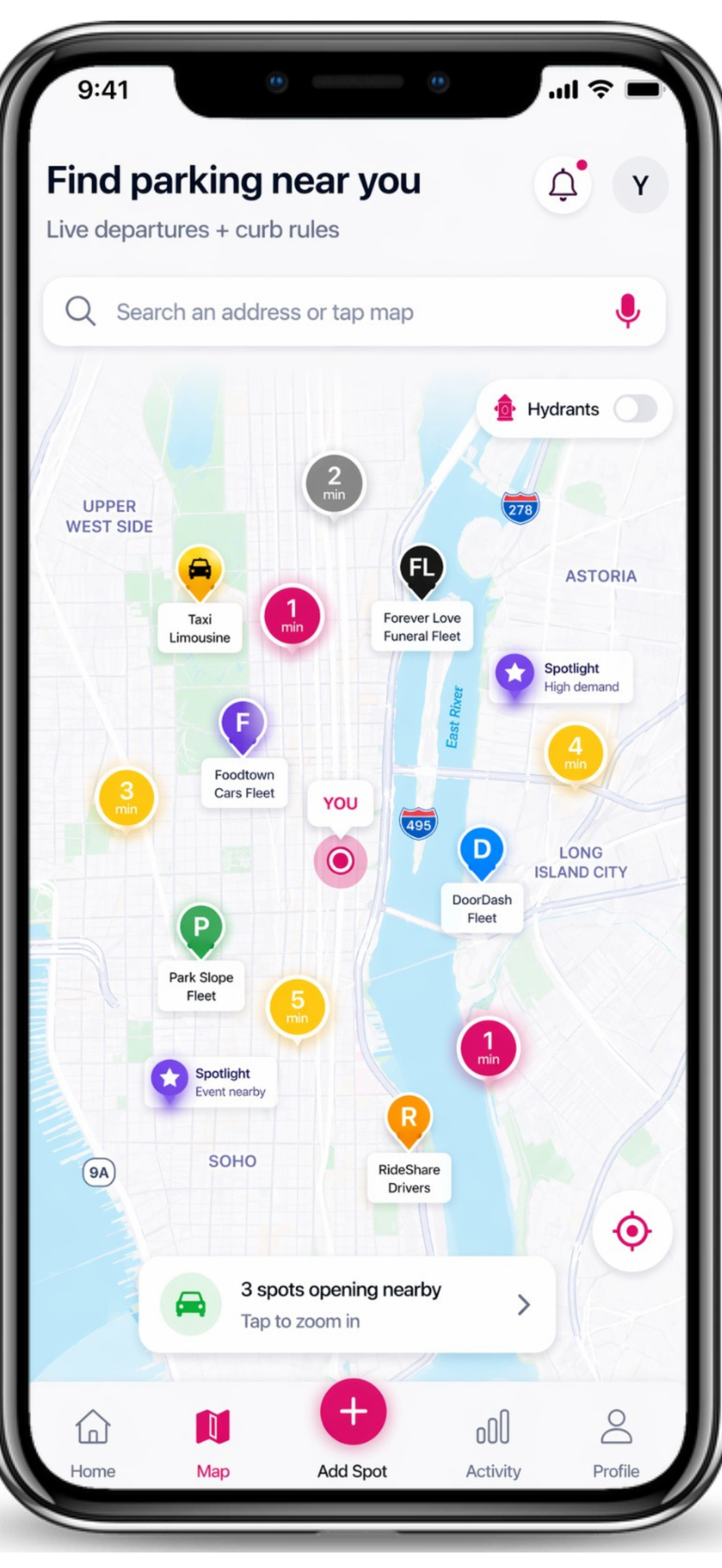
Different Jobs in the Same Trip
Waze and Google Maps center destination directions, routes, traffic, and ETAs. Spotlink centers the parking decision around that destination: driver-reported Departures, guidance to a selected report, CurbAI rule context, TicketGuard timing, saved-car tools, private sharing, and parking-focused Voice assistance.
The products can be used together. A general GPS service can get you near the destination; Spotlink can help with the parking search and curb decision.
What Happens After You Select a Departure
Spotlink can provide turn-by-turn guidance toward the report. When you arrive, confirm that the space is still open and use CurbAI to check current parking restrictions. Guidance does not reserve a public space or establish that parking is legal.
Next Step
See the complete Spotlink parking navigation workflow, then open Spotlink when you are ready to search. Drive safely and interact only when lawful.
FAQ
Is Spotlink a replacement for Waze?
No. Waze centers routes and traffic. Spotlink centers the NYC parking search and curb decision.
Is Spotlink a replacement for Google Maps?
No. Google Maps centers directions and place discovery. Spotlink adds a parking-specific workflow that can begin before you arrive or continue after arrival.
Should I use Spotlink only after navigation?
No. You can use Spotlink to find and select a driver-reported Departure and follow guidance toward it, then use CurbAI when you arrive.
Does Spotlink guarantee the Departure will still be open?
No. A Departure is a timely community report, not a reservation, exclusive claim, or guarantee.